Moodle
Teachers tick "Require the Examo app" in the quiz settings. The quiz then opens only inside Examo. Question banks and random draws still produce a different version for each student.
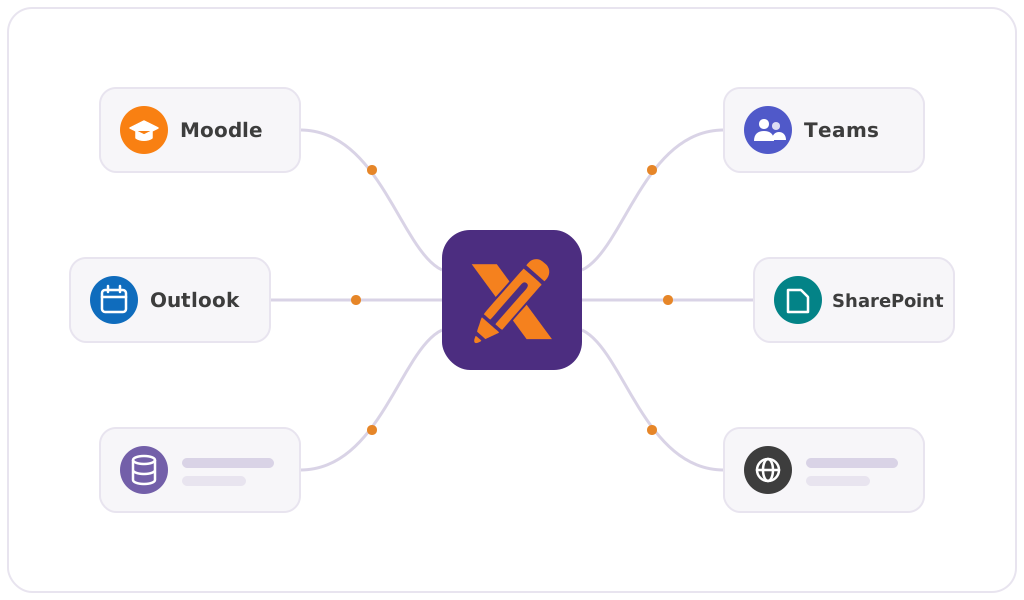
Examo doesn't ask teachers to rebuild their exams in a new editor. It plugs into the learning environment, the Microsoft 365 tenant and the student information system you already run.
Overview
Examo frames and records the exam wherever it was written. Teachers keep their question banks, their documents and their habits.
Integrations
Teachers tick "Require the Examo app" in the quiz settings. The quiz then opens only inside Examo. Question banks and random draws still produce a different version for each student.
An Exams tab in Teams lets teachers create, schedule and follow their exams without leaving the class team.
The exam appears in the student's calendar with a "Take the exam" link. Examo adds it, or Calendo does if your institution already uses it.
Single sign-on with institutional accounts, and storage in your own Microsoft Teams and SharePoint environment.
Exams, groups and students are synchronized automatically from your student information system, so nobody re-types a class list.
Word, Excel or PDF exams uploaded to the Examo app, or any exam application reached by URL with single sign-on.
Deployment
Deploying Examo doesn't require touching student computers or lab images.
In their Outlook calendar event, in Teams or in Moodle.
A native application for Windows and macOS. No administrator rights required, on a personal computer or a managed campus workstation.
The student signs in with their Microsoft 365 account and lands in the exam's pre-check, then the exam itself.
Technical requirements
| Item | Requirement |
|---|---|
| Operating system | Windows 10 and 11; macOS versions currently supported by Apple. |
| Installation | Native application. No administrator rights required. |
| Devices | Students' personal computers and institution-managed workstations. No additional hardware. |
| Browser | No particular browser, other than what the chosen exam tool requires. |
| Camera and microphone | Required only when that capture is enabled for the exam. |
| Internet connection | No continuous high-speed connection needed. Recordings are sent in one-minute segments and synchronized later if the connection is weak. |
| Authentication | The student's institutional Microsoft 365 account. |
Then you have everything Examo needs. We'll show it running against a Moodle quiz and a Word exam in 30 minutes.
Book a Demo